
VSphere 6 Networking Deep Dive
Overall rating: 4.87 Instructor: 4.92 Materials: 4.85 more …
Every hypervisor software (including VMware ESX/vSphere, Hyper-V and Xen) has to include a networking component to enable virtual machines running on the hypervisor host to communicate with the outside world. VMware developers decided to depart from the established networking architectures and create an innovative virtual switch implementation. The vSwitch behavior can cause interesting network-side integration challenges; to resolve them, you have to understand how VMware networking works (and grasp their proprietary terminology).
Created by Ivan Pepelnjak, an internetworking and SDN expert, the vSphere 6 Networking Deep Dive webinar explains the details of vSphere networking, the design and deployment principles, and the details of advanced networking technologies and new features introduced in vSphere 5.x and vSphere 6.0.
Contents
This 6-hour webinar covers the following topics:
Virtual Networking Connectivity Challenges
- Hypervisor connectivity challenges
- NIC-per-VM design
- Hypervisor virtual switch
- Combining networking and storage connectivity
vSphere Virtual Switch
- vSphere virtual switch conceptual model, characteristics and terminology
- vSphere Standard and Distributed switch
- Host proxy switch
- Multiple switches per ESXi host
Redundant Uplinks and Failover
- Failover configuration in vSphere virtual switch
- Active-Standby scenarios
- Uplink failure detection with beaconing and link state tracking
Uplink Teaming and Load Balancing
- Uplink teaming concepts
- Loop prevention in vSphere virtual switch
- Load balancing algorithms and issues
- Link aggregation with IP-hash-based load balancing and LAG groups
- MLAG challenges
Network-side VM Isolation
- VLAN support in vSphere virtual switches
- External switch tagging, virtual switch tagging and virtual guest tagging
- Private VLANs
vSphere Kernel Adapters
- VMkernel Adapter 101
- VMkernel adapter failover and load balancing
- Multiple TCP/IP stacks in vSphere 6
Live VM migration
- vMotion behind the scenes
- LAN-side implications of vMotion
- Storage vMotion and vMotion without shared storage
- Multi-NIC vMotion
- vMotion across routed subnets and long-distance vMotion
- Integration with ToR switches
- vSphere Fault Tolerance
vSphere QoS
- Traffic classifying and marking
- Traffic shaping
- Network I/O Control and bandwidth admission control
vSphere Network Security Features
- Layer-2 security features
- Access lists in vSphere 6
- VMsafe Network API
- Distributed firewall and third-party plugins for NSX for vSphere
vSphere Networking Performance Enhancements
- DirectPath I/O and SR-IOV
- Jumbo frames
- TCP offloads
vSphere Network Management and Monitoring
- Configuration Export and Restore
- Management Network Rollback and Recovery
- vDS Health Checks and topology discovery
- Packet capturing and port mirroring
Cisco-Specific vSphere Features
- Adapter FEX and VM-FEX
- Cisco Nexus 1000V
- Integration of Nexus 1000V with Dynamic Fabric Automation (DFA)
Target Audience
If part of your daily job includes vSphere network connectivity, be it on the server or networking side, you simply have to attend this webinar, regardless of whether you’re a network architect or an implementation guru.
To attend this webinar, you should be familiar with the concepts of routing and bridging (if you’re a networking engineer, CCNP-level knowledge is highly recommended) and the fundamentals of server virtualization. Data Center Infrastructure for Networking Engineers webinar is the ideal means of acquiring the prerequisite knowledge.
Delivery Format
The vSphere 6 Networking Deep Dive is a 6-hour technical deep dive available as a set of downloadable MP4 videos that you can buy; we can also organize an on-site event, where the topics of this presentation are combined with in-depth discussion of other Data Center networking topics that apply to your network.
Happy Campers
About the webinar
- Ivan does a great job explaining things under the hood difficult to find on other courses or books.
- Marcos Cotomacio
- The webinar was consise, its material not dumbed down, there were pearls of knowledge in there which expanded by understanding of ESX and gave me more than a few "aha!" moments, overall well worth the money and I would strongly recommend the webinar for anyone wanting a better understanding of VSphere 6 networking.
The course is worth the money and time for sections "uplink redundancy & load balancing" and "VLAN based virtual networks" alone. - John Ellis
- webinar covers the topic over and above anything found in the vendor literature.
- able cable
- Great information given as this is a fairly new concept for me to grasp. It is explained very well. I also really liked how best practices are explained.
- ERIC MARTINEZ
About the materials
- I would love to see a VMware Clustering Deep Dive series.
- Marcos Cotomacio
- I am studying for my vSphere 6.0 certification so the webinar was very useful and helpful in my understanding.
The session also covered certain design options, which I found very helpful. - able cable
- The quality of the video was great as usually Ivan. Could you please cover: protocol support between vSwitch and dvswtich, diff between dvswitch and hyperv networking
- Srinivas Ram
Tweets
- Another great deep dive content from @ioshints about vSphere 6 Networking. Awesome as usual!!
- @plgingembre
About the Author
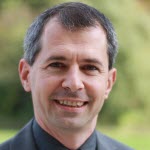 Ivan Pepelnjak, CCIE#1354 Emeritus, is an independent network architect, book author, blogger and regular speaker at industry events like Interop, RIPE and regional NOG meetings. He has been designing and implementing large-scale service provider and enterprise networks since 1990, and is currently using his expertise to help multinational enterprises and large cloud- and service providers design next-generation data center and cloud infrastructure using Software-Defined Networking (SDN) and Network Function Virtualization (NFV) approaches and technologies.
Ivan is the author of several books covering data center technologies, highly praised webinars, and dozens of data center and cloud-related technical articles published on his blog.